

Ever wanted to learn how to make your own flappy bird game?
Always thought it was hard? It isn’t!
Let me show you how to make it using Scratch in under 10 minutes! It will look something like this:
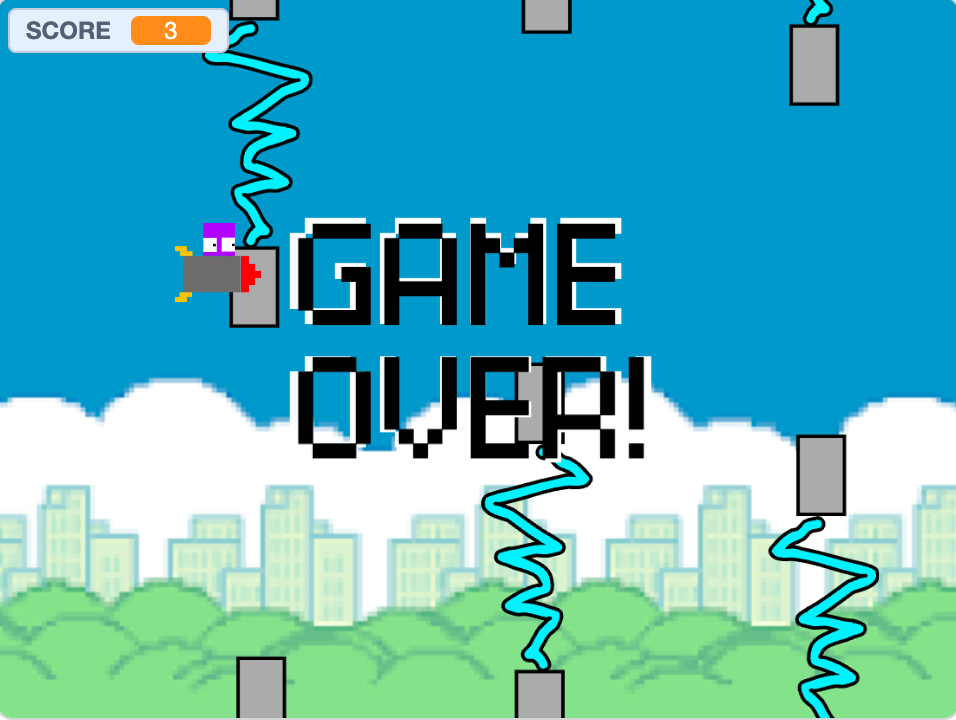
You can play it here: Flappy Banana if you want to test it, and if you want to see something more advanced that I made (took more time) check out Rocket Cube on Scratch .
Scroll down for the steps:
- Make a new scratch project
Go to scratch. If you don’t have an account, sign up for one. It’s free! At the top of the page, there is a button that says ”Create” next to the logo. Click it. It should look something like this:
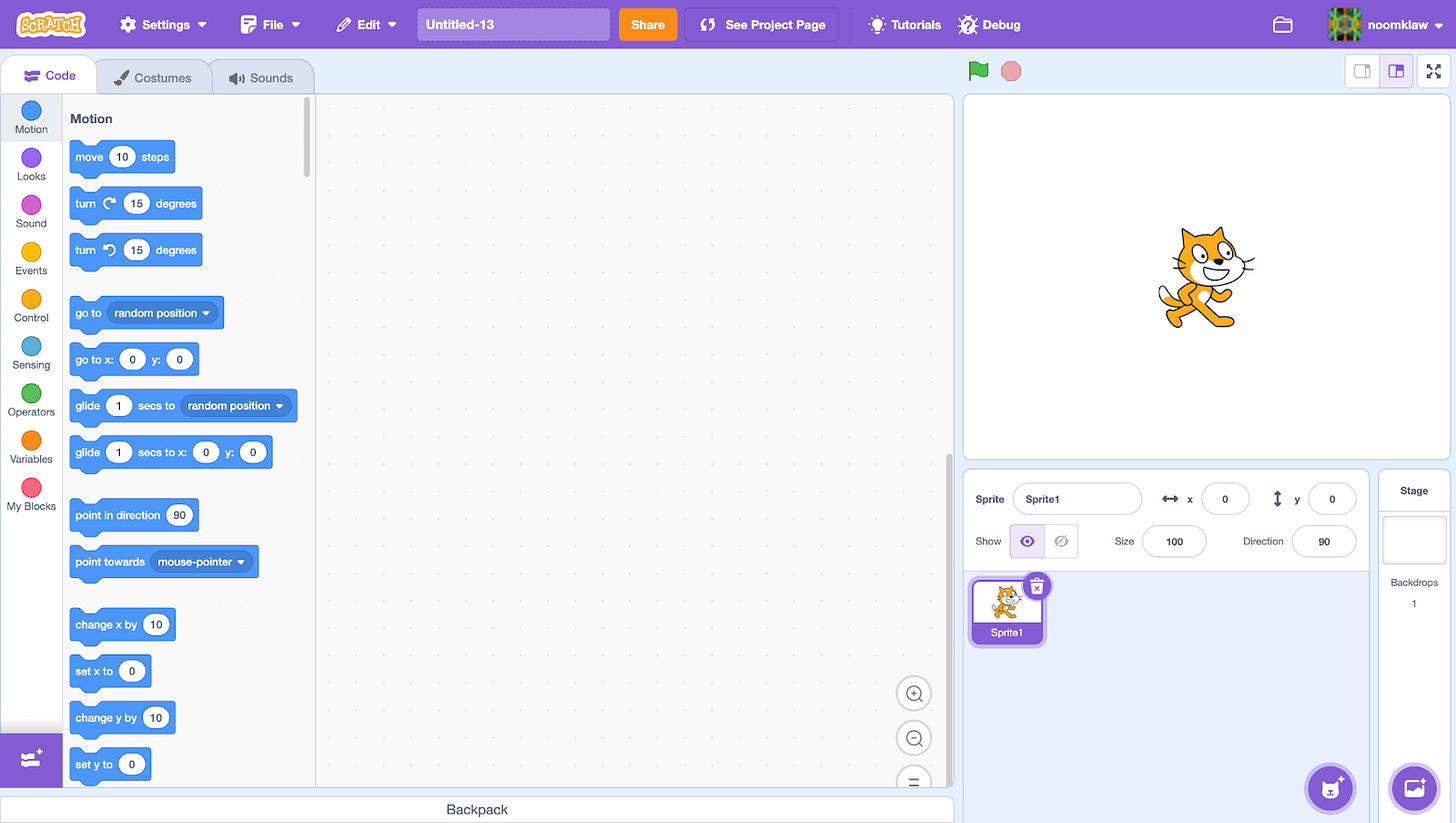
Looks like that? Good. Name it.
- Art
Now press “Costume” (Below the logo) and paint something like a bird, a dragon, an airplane, a rocket, it could be anything! If you want it to animate, make multiple costumes. I will make a flying banana:
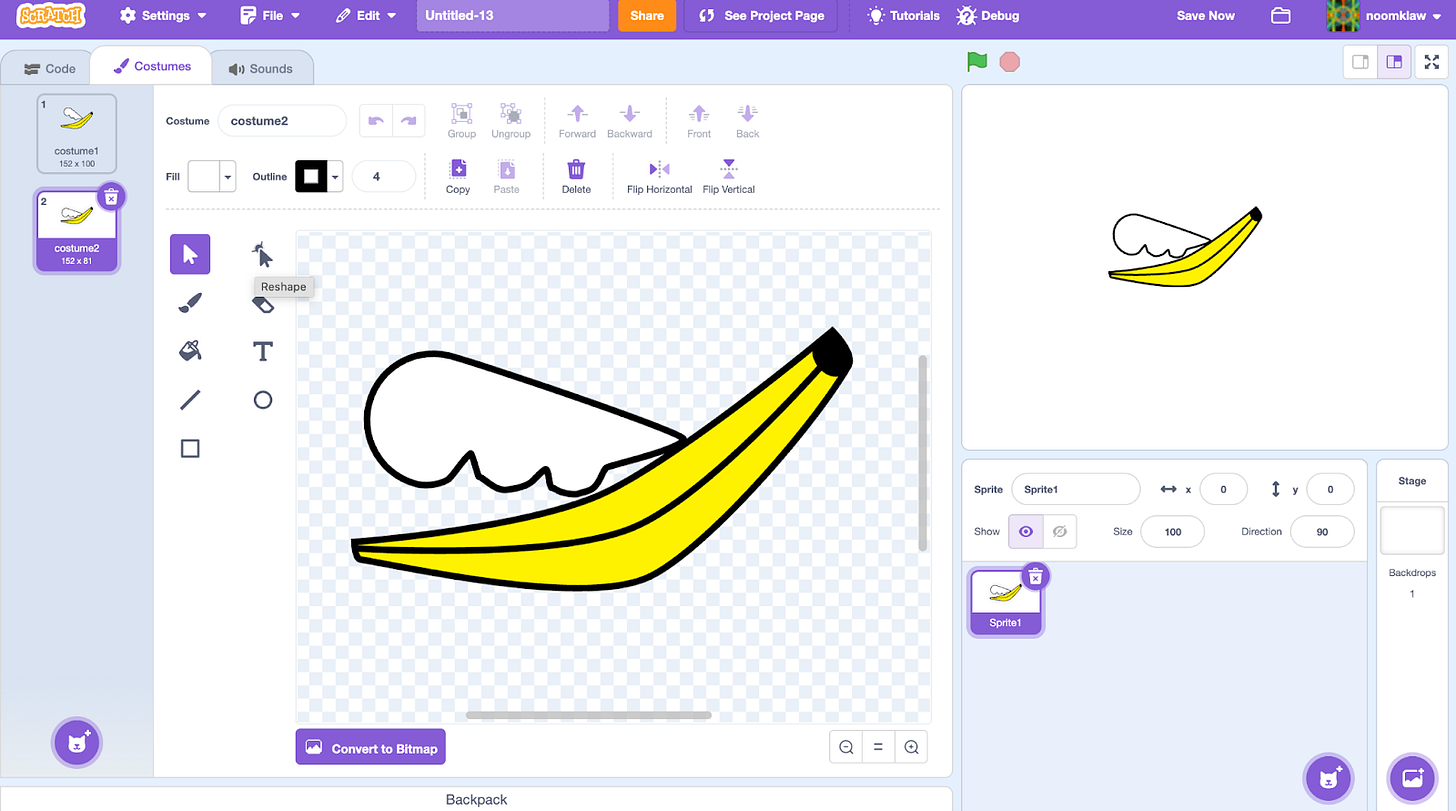
Looks good, but the banana is WAY too big in the preview on the right. We can fix that though. WITH CODE!!! Switch back to the code tab and put in this code:
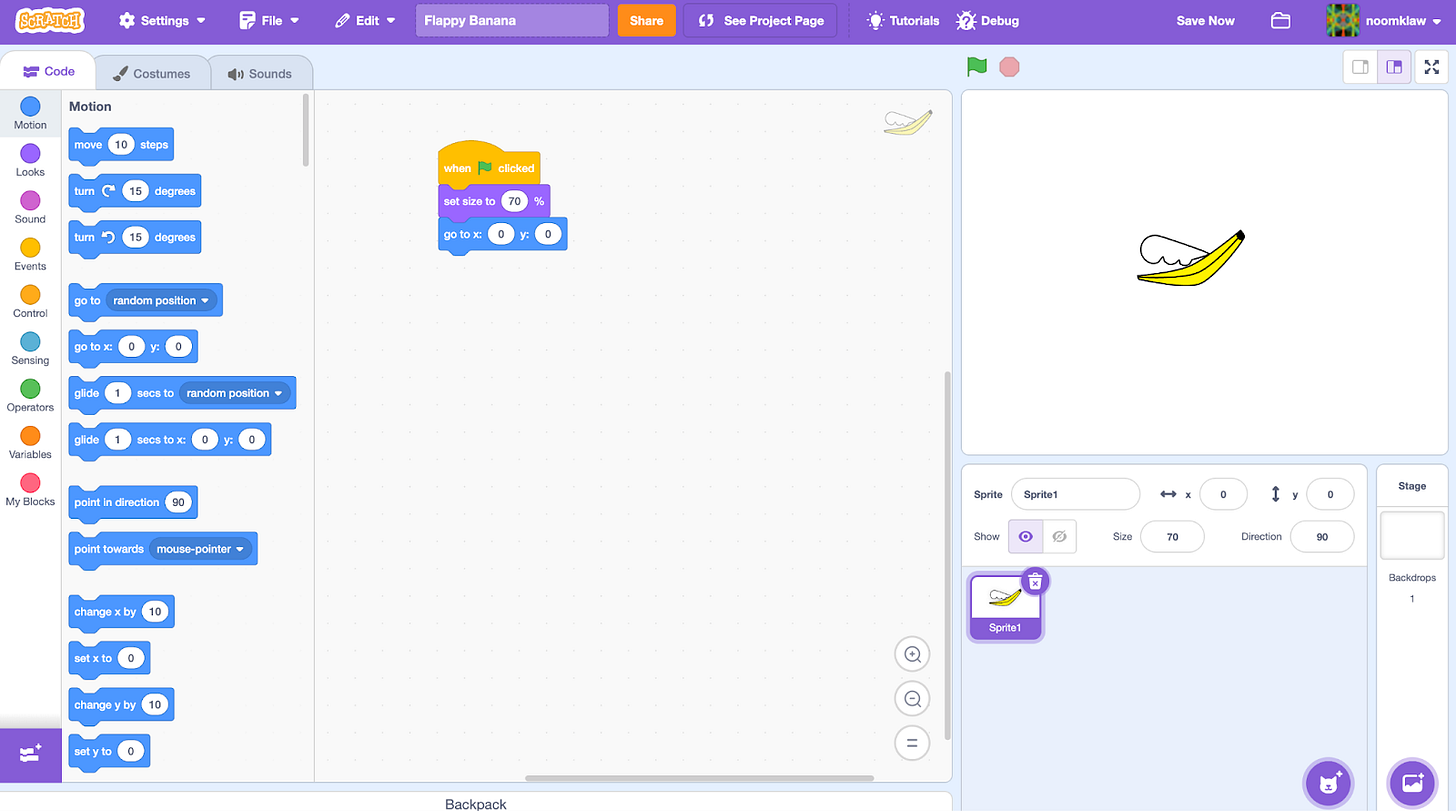
This should make it smaller. Feel free to play around with the size! Ok, now click the purple button in the bottom right corner. THE ONE WITH THE CAT. This is important.
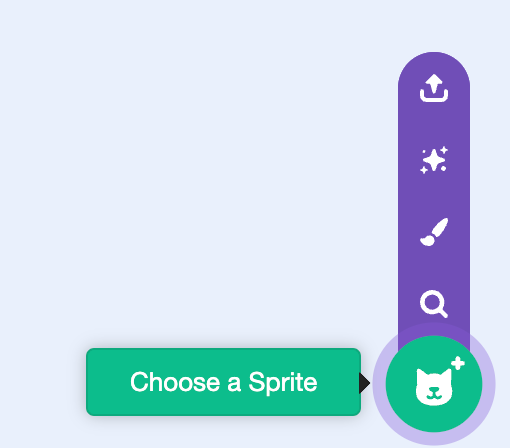
Press the search button. You should see some things. Choose the one that looks the most like a pipe or zapper or mountain. If it looks weird, change it. I chose a building.
- Code buildings
Click on the building. Add this code:
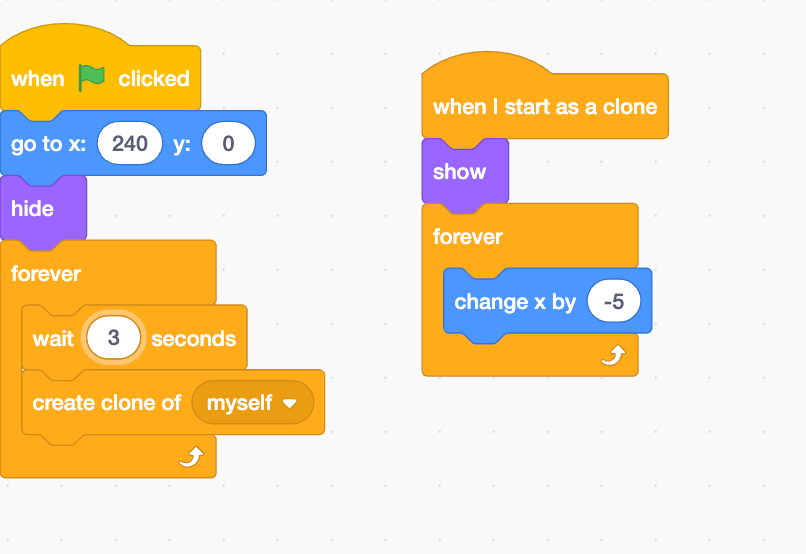
Ok, the buildings are working fine.
“But, Asher,” you ask. “The buildings don’t vary in height and they cluster at the left!” Add this code:
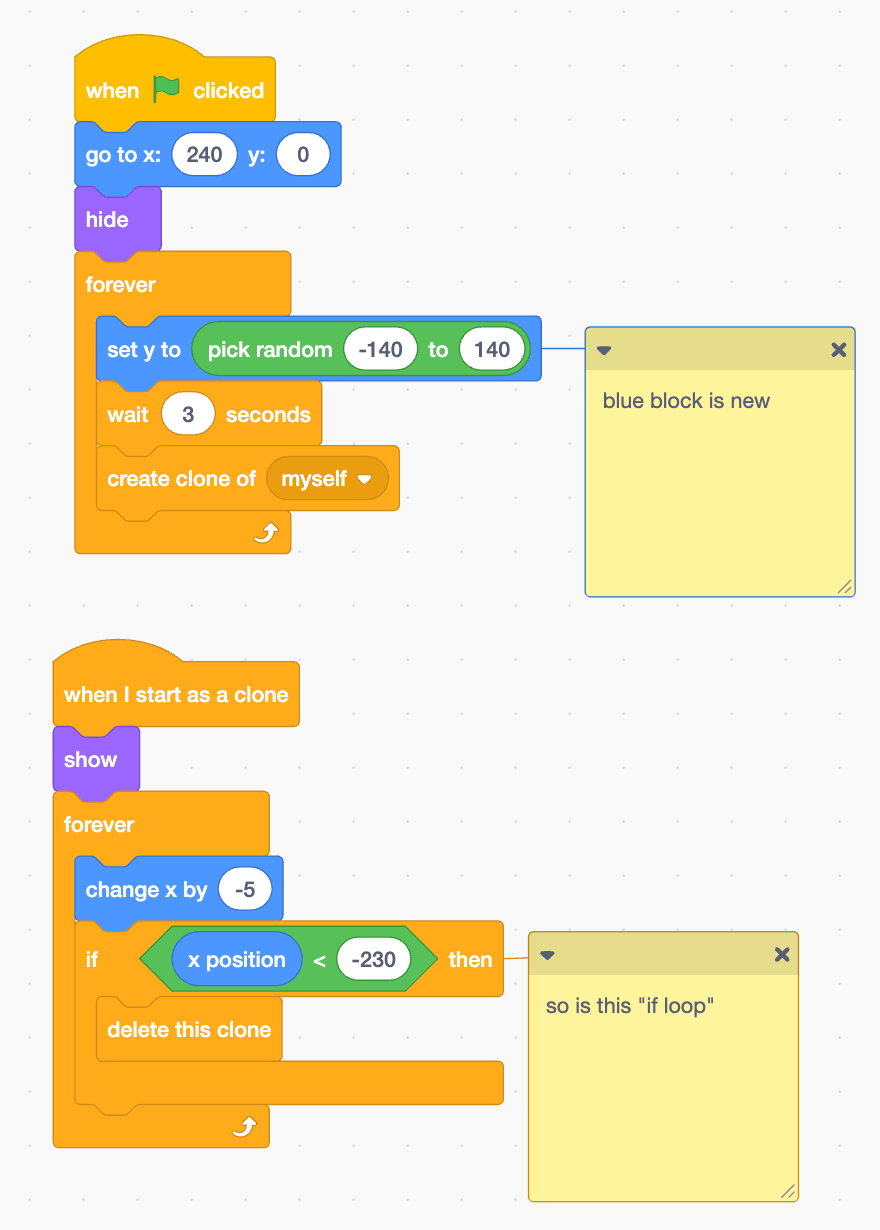
Run the program. It should work.
- Player movement
Click on your player. Make a variable called SpeedY and add this code:
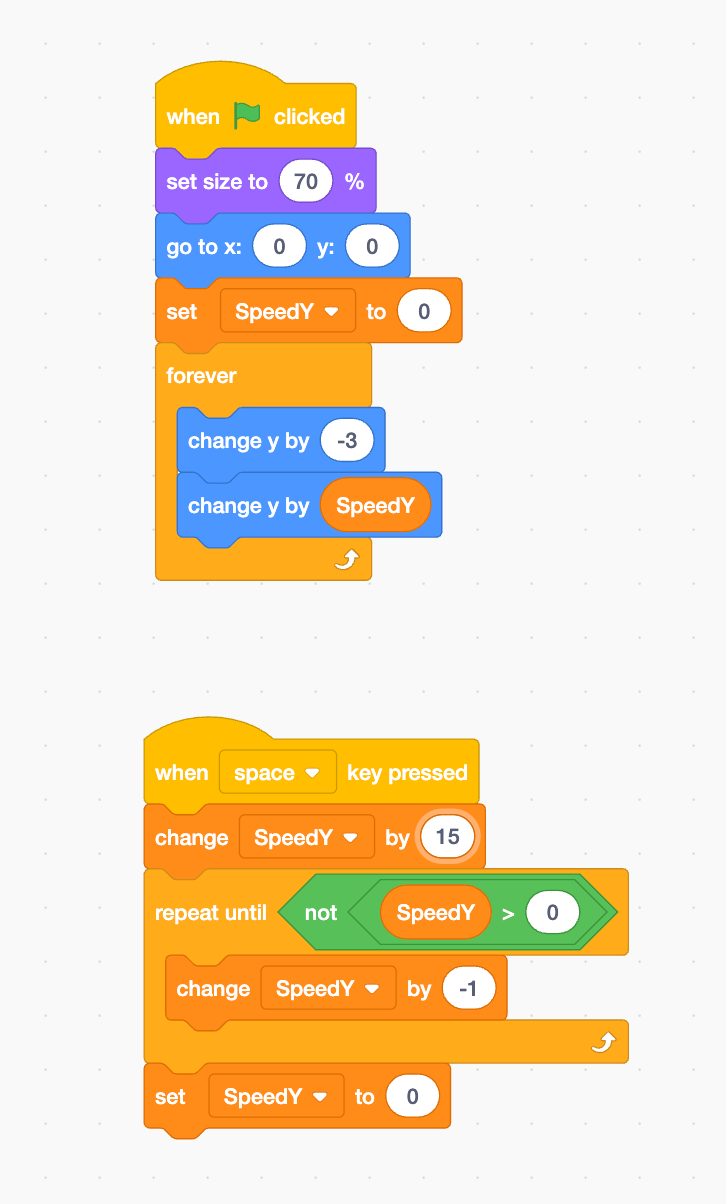
Ok, now when you press space your banana (or something else) flys up, but you can crash yourself into buildings with no consequences. Let’s fix that.
- Lives and Game Over
Add a variable called “LIVES” and this code to the player:
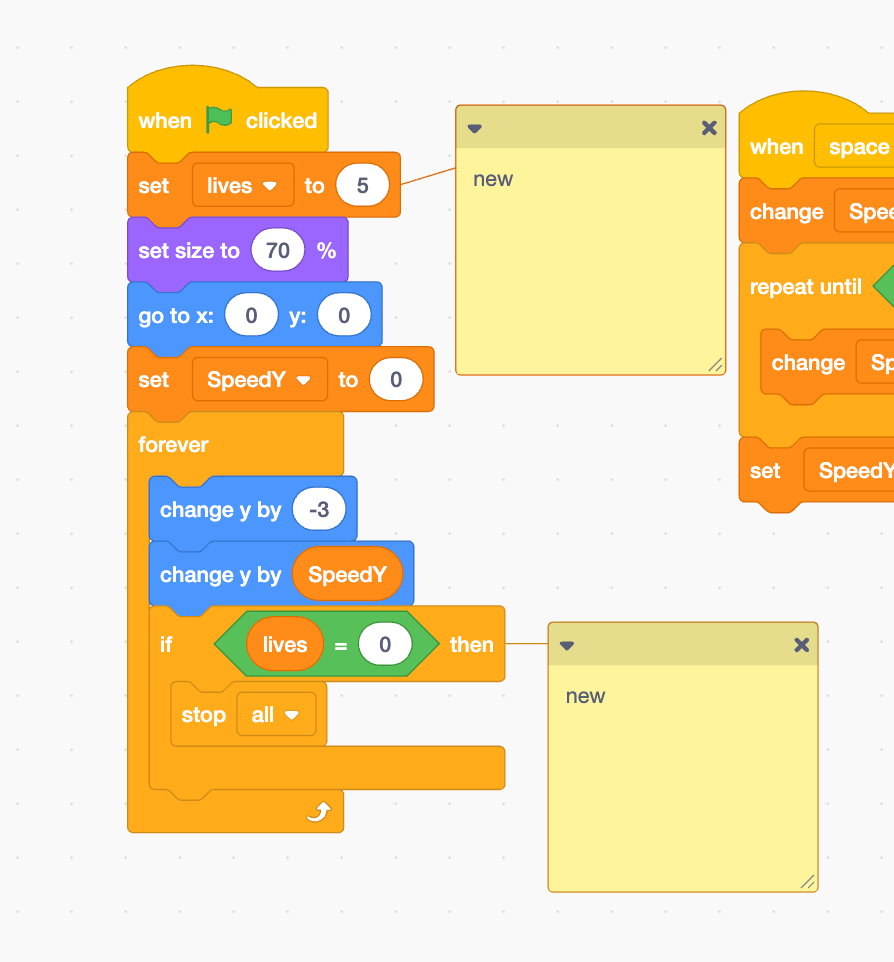
The code below is for the building.
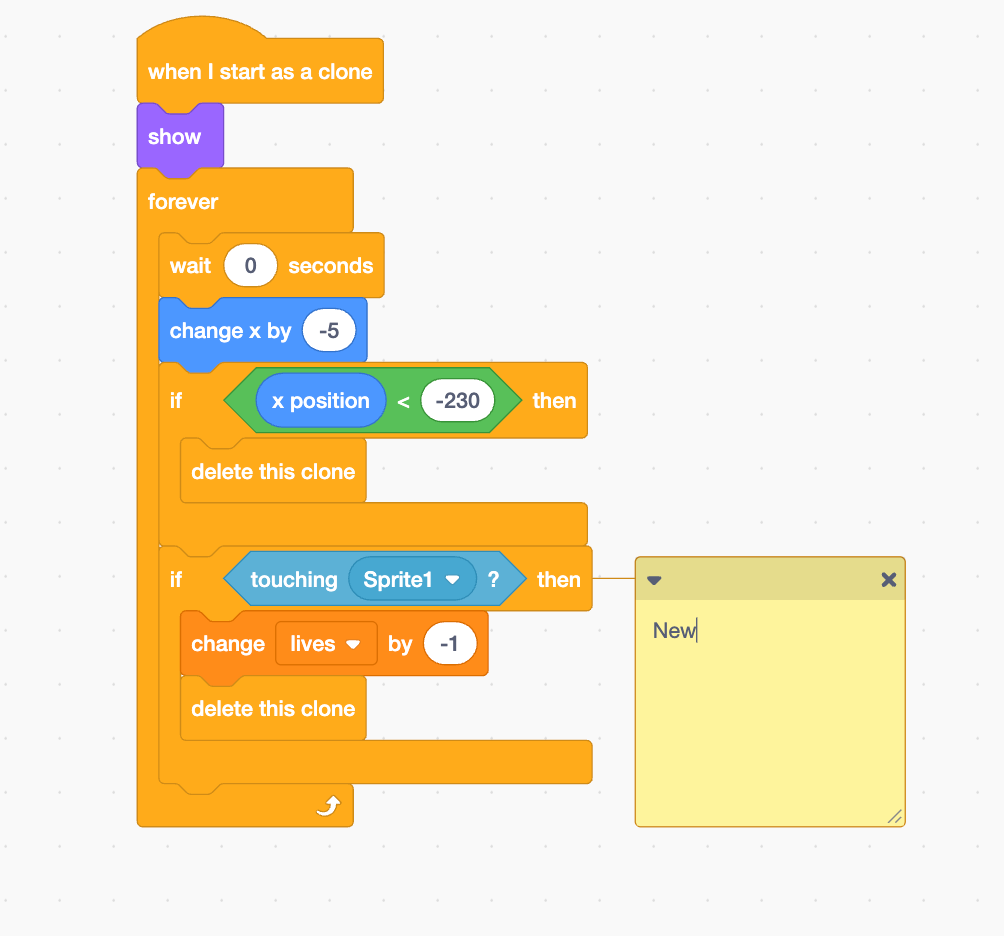
The game works! But why stop here…
Challenges for experienced coders
Try adding points
Add a second player
Make it so you can move forward and back too.
animate!
Comment your submissions at Flappy Banana Submissions (Mine is animated)
Some other games I made are under the profile NoomKlaw on Scratch to play too!
IDK how this works...
-Guy the Lizard
About the author
- Ametuer HTML and python coder
Comments
Join the discussionNo comments yet. Be the first to comment.